
Your dictionaries
The home screen lists your dictionaries as cards. This is where you open, arrange, review and share them.
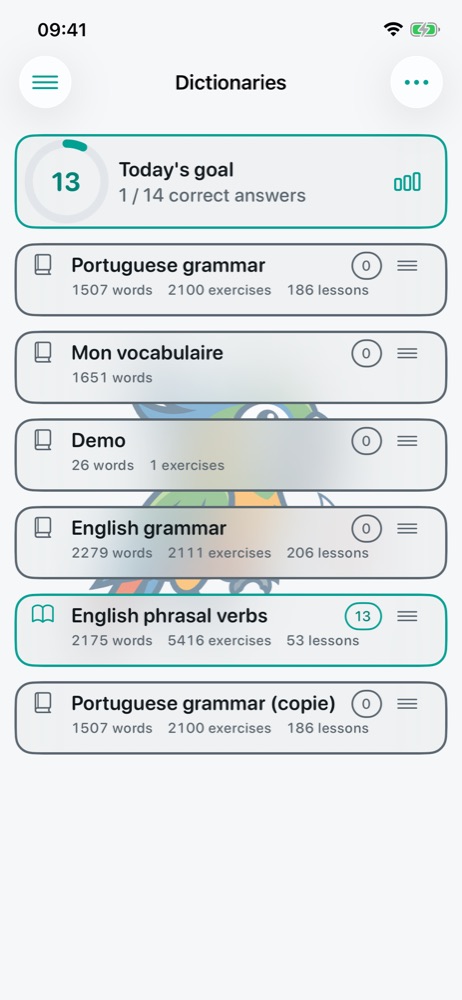
One card, one dictionary
| Element | Role |
|---|---|
| Book icon | Opens or closes the dictionary. Open: it is included in the home-screen review. Closed: it is ignored, without losing anything. |
| Title | Expands or collapses the card. |
| Numbers under the title | Words, exercises and lessons in the dictionary. |
| Circled number | What is left to review today in this dictionary; tapping it starts the review. |
| Handle ≡ | Drag to reorder your dictionaries. |
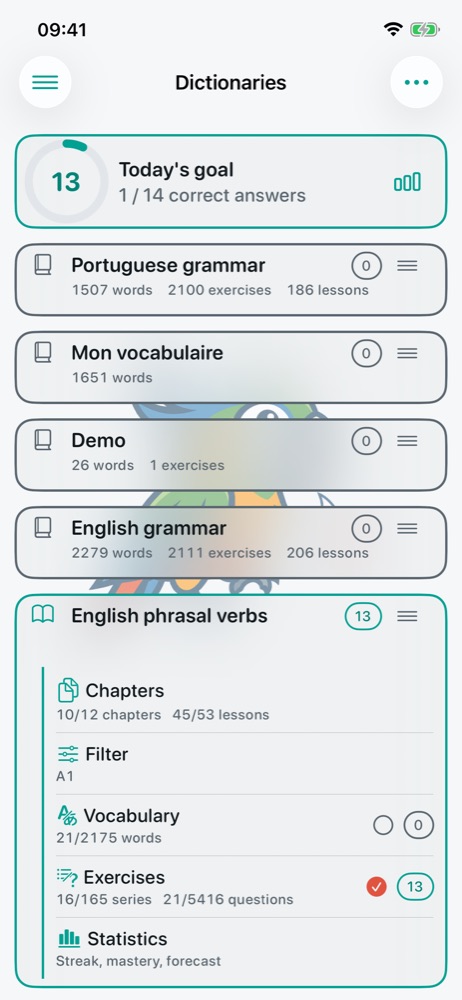
An expanded card gives access to the dictionary's content:
- Chapters: the course, with the number of chapters and lessons ticked for review;
- Filter: the filter(s) that choose the words and questions to review;
- Vocabulary and Exercises: the full lists. The circle on the right includes (ticked) or excludes that kind of content from the review;
- Statistics: streak, mastery, forecast (see Daily goal and statistics).
All these screens are described in Lessons, vocabulary and filters.
Reviewing several dictionaries
When the daily goal is off, a badge at the top right of the home screen adds up what is due in all open dictionaries: tapping it starts a combined review. With the daily goal on, its card at the top of the home screen starts the session.
A card's menu
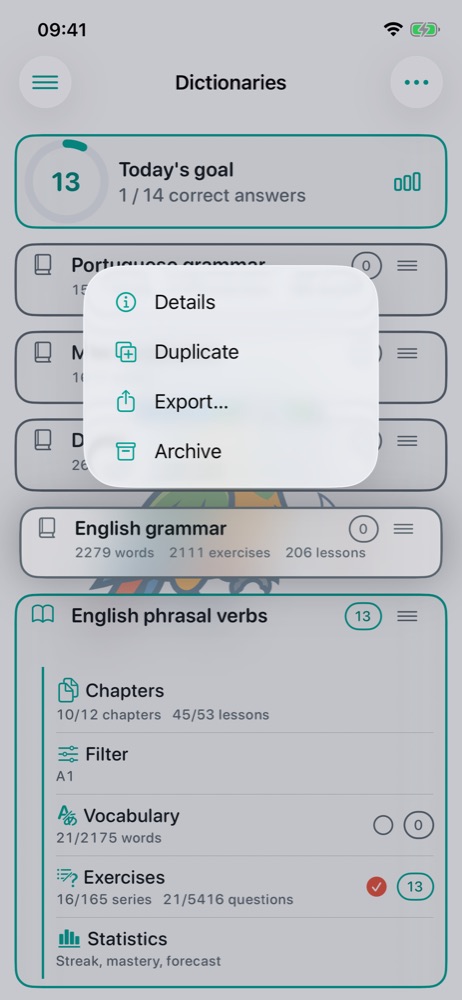
A long press on a card opens its menu:
- Details: title, authors, version, languages, mode (learning or exam), unarchiving;
- Duplicate 🔒: an independent copy with all its content;
- Export… 🔒: as JSON or CSV (see Import, export and sync);
- Archive: the dictionary leaves the home screen but can be brought back, results included.
Archive or delete? In Super Parrot, “Archive” can always be undone: an archived dictionary, word or filter can be unarchived later. “Delete” is kept for what cannot be recovered, such as permanently deleting an archived dictionary.
Exam mode
A dictionary can be set to exam mode in its details. It is then no longer reviewed: each item is asked once, without repetition, and every attempt is saved with its results and score. Useful for listening or reading comprehension, or a lesson test. Questions can follow the dictionary's order or a random order, and be corrected after each answer or only at the end.
Free version: one active dictionary at a time, besides Demo. The others stay archived, never lost: archive one to import or unarchive another. The full version lifts this limit.