
Getting started
Five minutes to install a dictionary and do your first review.
-
Install the app
Super Parrot runs on iPhone, iPad and Android phones. On first launch the app contains a small Demo dictionary to explore the interface; it never counts against the limits of the free version.
-
Add a dictionary
The easiest way is to open a
.parrotfile: tap it in Files, Mail, a browser or a messaging app, and Super Parrot offers to import it. You can also use the … menu at the top right of the home screen, then Import…. Ready-made dictionaries are listed in Dictionaries to import. Details are in Import, export and sync. -
Open the dictionary
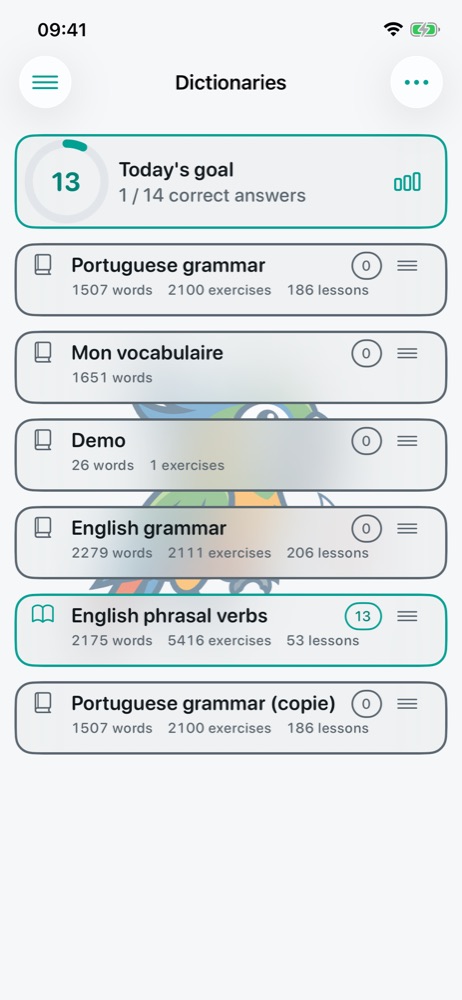
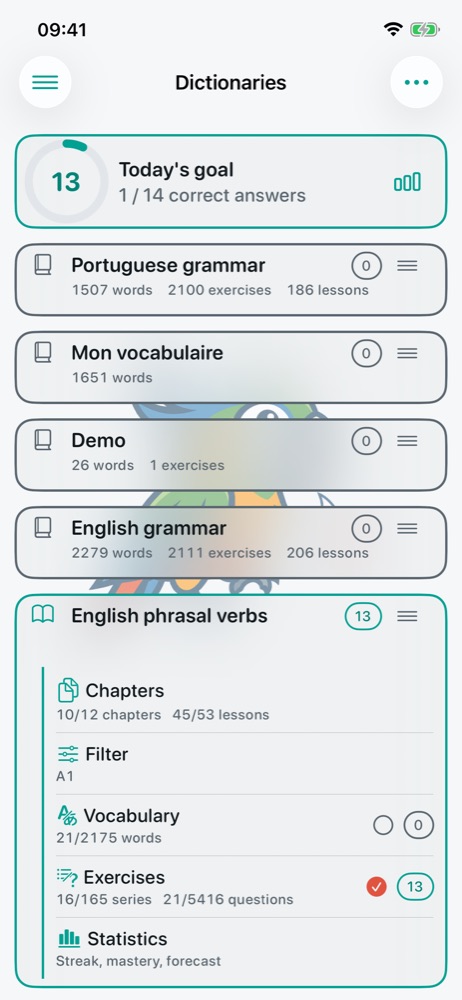
On the home screen, the book icon to the left of a dictionary opens it (open book, coloured frame) or closes it. Only open dictionaries are reviewed. Tap the title to expand the card and see its content.
-
Choose what to review
In the expanded card, tick what you want to learn: the Vocabulary, the Exercises, or only some lessons from Chapters. See Lessons, vocabulary and filters.
-
Review
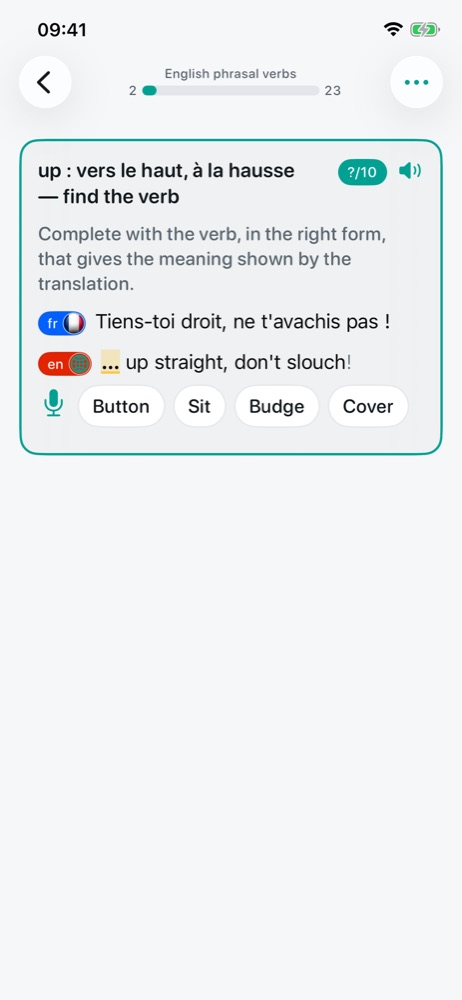
The circled number on the right of a dictionary is what is left to review today: tap it to start. Answer with the keyboard, by tapping a proposal, or with the microphone. The correction appears at once and the next exercise shows up below. Everything is explained in Reviewing.
-
Come back every day
An item you get right comes back later and later; an item you miss comes back soon. A few minutes a day is enough: the daily goal gives you a number of correct answers to reach.
Built-in help. The side menu (top left of the home screen) leads to Settings and to an illustrated Help that recalls the gestures and icons.