
Settings
Settings live where you need them: your preferences in the home screen's … menu, review settings in the review's menu, and general settings in the side menu.
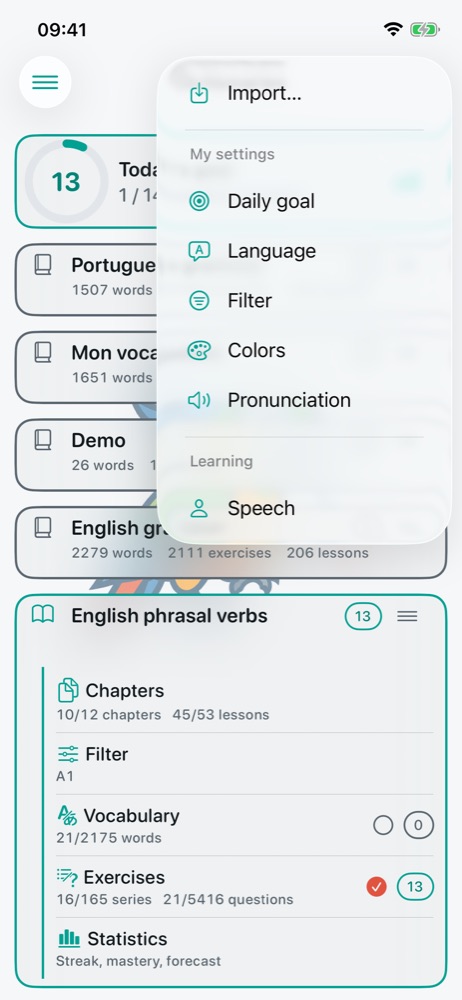
My settings (home … menu)
Daily goal
See Daily goal and statistics.
Language
The preferred language is the one the app uses to talk to you: the translation shown under each word in the list, and the names of grammatical categories. It does not change the languages you are quizzed on. By default, it is the phone's language.
Filter
Shows or hides archived items (words, filters, tags, dictionaries…) in the lists. An archived item is shown in muted italics and can be unarchived.
Colors
A background colour per language or country, used throughout the app to spot languages at a glance. A country without a colour inherits its language's.
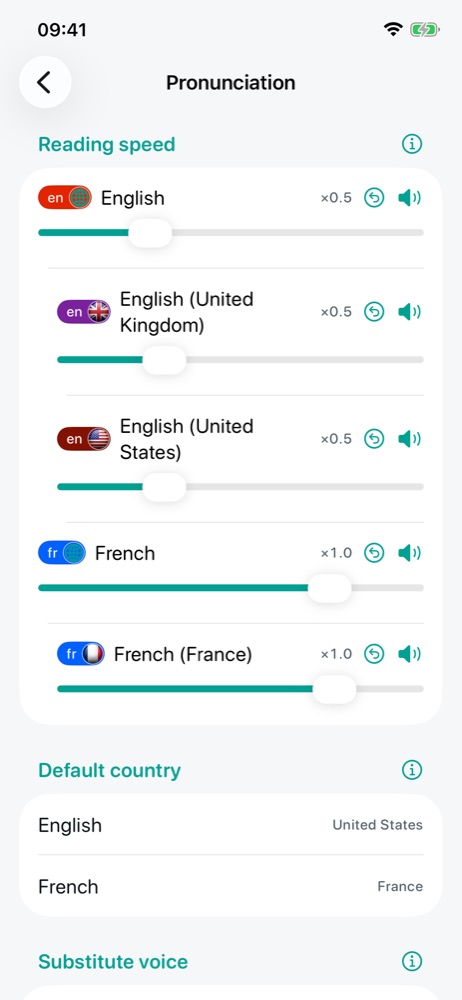
Pronunciation
- Reading speed: per language or country (×1.0 = normal speed); a country without a setting inherits its language's, and the 🔈 button lets you try it;
- Default country: the accent used for a word whose language has no country (British or American English, for example);
- Substitute voice: a voice that reads a language in its place when the device has none, such as the Italian voice for Corsican; “Automatic” follows what the dictionary suggests;
- Installed on this device: for each language and country of the dictionary, the available voice and the offline recognition needed to answer by microphone, with how to install them in the phone's settings. The app cannot install them itself.
Learning
The Learning section of the same menu opens Speech, which applies to all dictionaries. The strategy and question languages, specific to each dictionary, are set from the review (see Reviewing).
General settings (side menu)
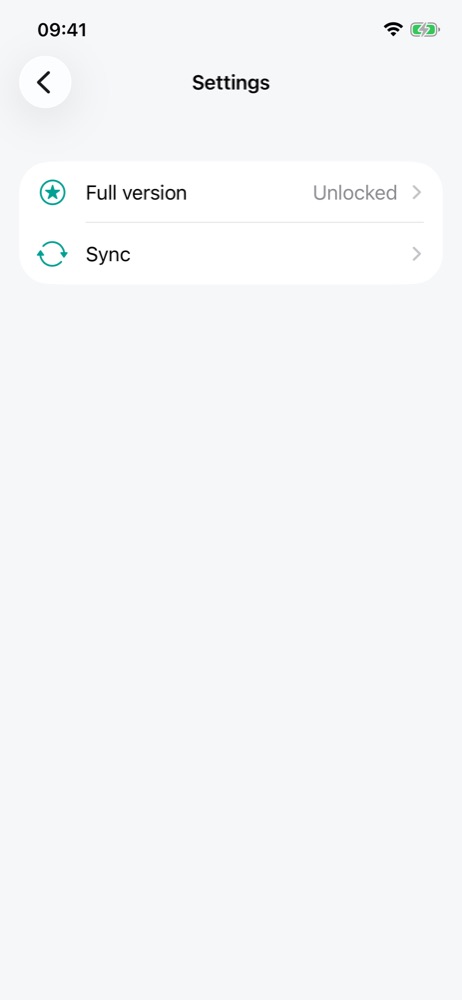
The button at the top left of the home screen opens the side menu: the current user, Settings and Help.
- Full version: what it unlocks, the purchase and restoring purchases;
- Sync 🔒: see Import, export and sync.
The full version
A single purchase, on all your devices of the same platform (Apple or Google), unlocks:
- the FSRS repetition method;
- more than one active dictionary (the free version keeps one, besides Demo);
- sync between devices;
- reviewing by voice: automatic speech, recording answers, voice commands;
- JSON and CSV export;
- creating dictionaries: duplicating, a new dictionary from a selection;
- selecting several filters at once;
- detailed statistics.
A paid feature is always visible, marked with a lock; tapping it presents the full version. Content stays free, importing too, and losing the entitlement (refund, another platform) breaks nothing: what is already set up keeps working.