
Reviewing
A review presents, one after another, the words and exercises that are due. Each answer decides when the item comes back.
Starting a review
- from the home screen: a dictionary's circled number, or the daily-goal card;
- from the chapters or a lesson: the red badge, for the chosen lessons only;
- from the statistics: the Review button.
The review screen
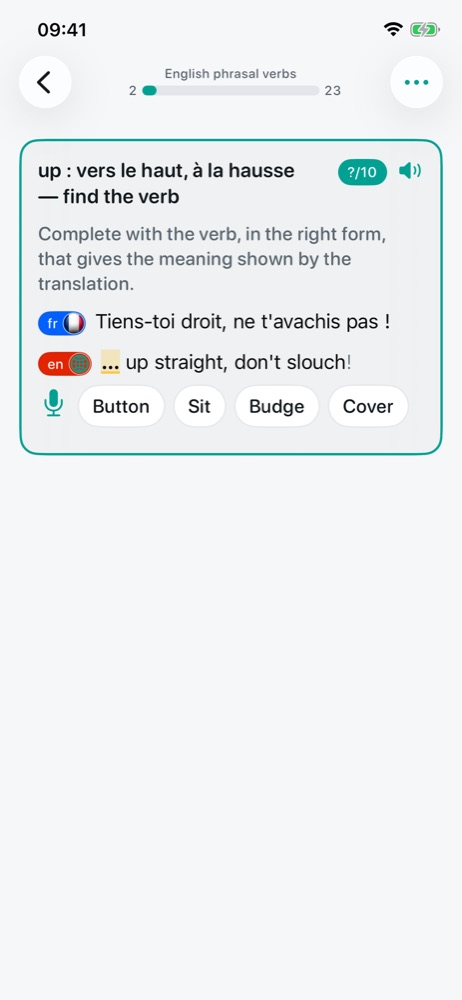
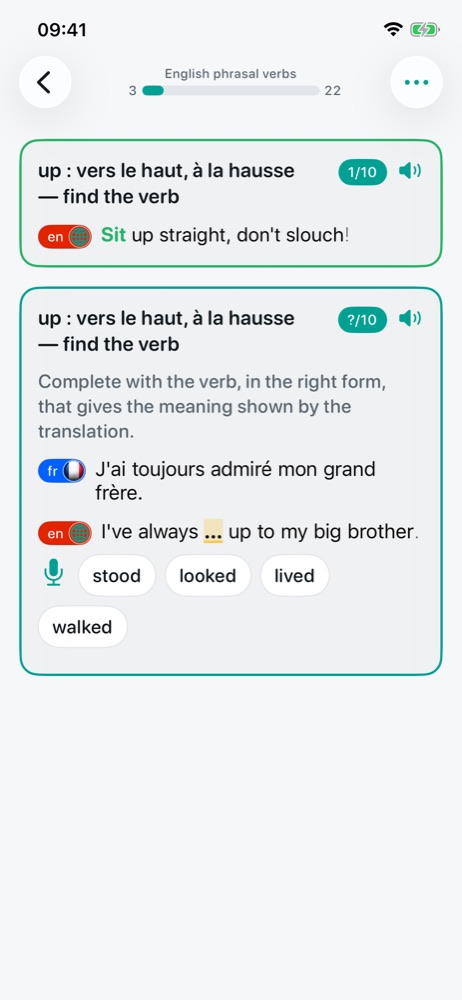
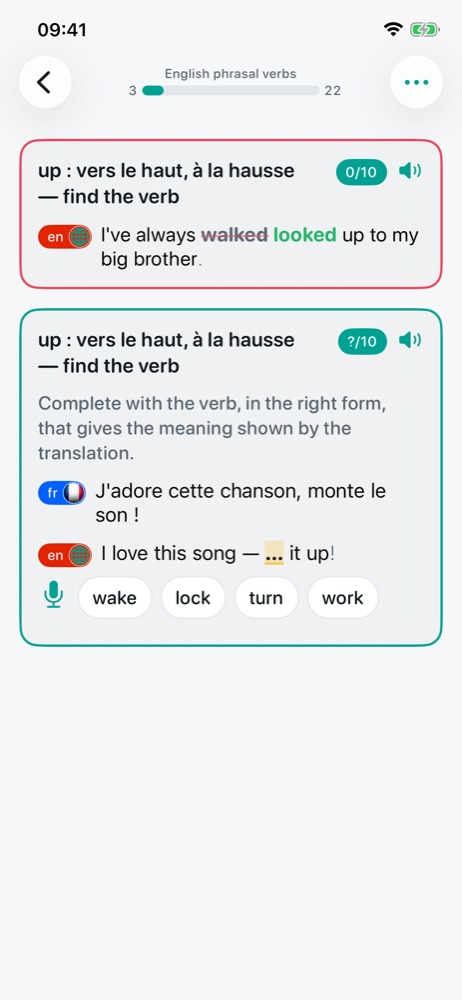
At the top, the dictionary's name and a progress bar: successes on the left, what remains on the right. Tapping this banner pauses the session. Each exercise card shows:
- the series title and, on the right, the question's mastery level (
?/10for a question never seen, then0/10,1/10…) and the 🔈 button to hear it; - the instruction, then the question, each language marked by its badge and flag;
- the highlighted gap to fill, with either a text field or proposals to tap;
- the microphone, to answer by voice (see Speech and voice).
The correction
| Result | What happens |
|---|---|
| Right | The frame turns green and the answer is shown. The item will come back later. |
| Imprecise | A small typo: fix it and validate again. After three imprecise attempts, the answer counts as wrong. |
| Wrong | The frame turns red; your answer is struck through and the right one shows in green. The item will come back soon. |
With the microphone, when recognition mixed up two similar words, the app simply asks you to say the answer again. When everything is known, an extra round can be drawn to keep going.
Review settings
The … menu of the review screen opens each setting directly:
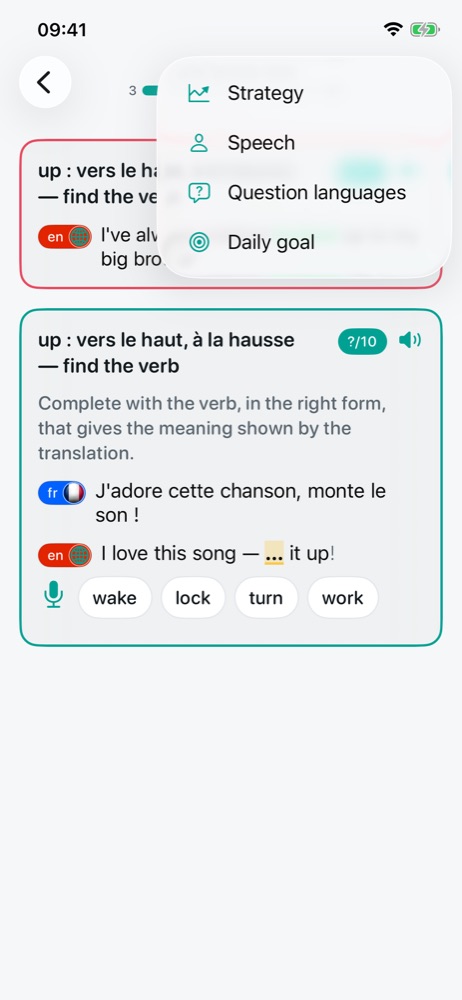
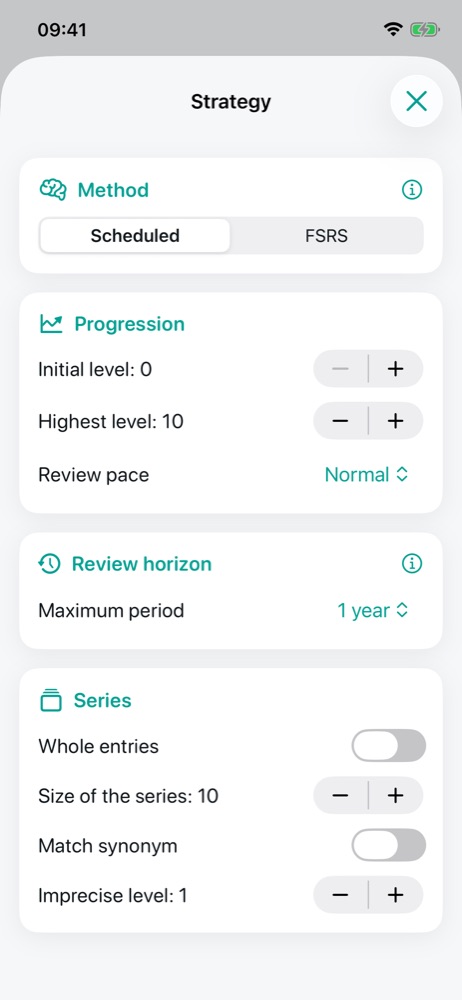
Strategy: the repetition method
Two methods are offered under Method:
- Scheduled: each right answer moves the item up one level, and each level comes back later than the one before. You set the Initial level, the Highest level and the Review pace (Intensive, Normal, Spaced), as well as the Review horizon: how long before a mastered item comes back (for example one year).
- FSRS 🔒: an open-source spaced-repetition algorithm. It estimates each item's stability in memory and its difficulty, and brings it back when you are likely to forget it. Intensity sets the probability of remembering: Light 80%, Moderate 85%, Balanced 90%, Intensive 95%. The higher it is, the more frequent the reviews; Balanced is a good compromise.
Switching methods loses nothing: FSRS picks up the levels already reached.
The Series section controls the draw: Whole entries puts everything selected into play; otherwise Size of the series limits how many items questions are drawn from. Match synonym accepts another word of the same meaning, and Imprecise level sets the boundary between an imprecise answer (a typo to fix) and a wrong one.
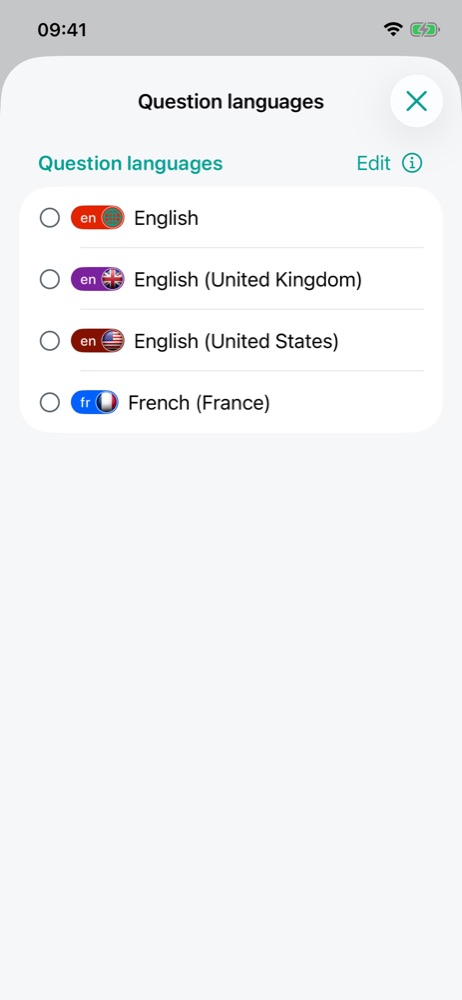
Question languages
For a multilingual dictionary, choose the languages shown in the question, in order of preference. None ticked: all of them. The language of the answer is never shown in the question.